opendraw is a free, open-source hand-drawn whiteboard for your app: shapes, arrows, text and sticky notes, rendered sketchy, as one component for Vue, Nuxt, React and Svelte.
What you can draw
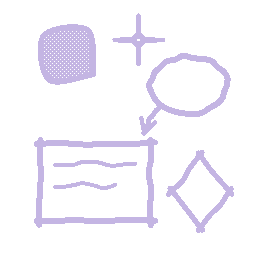
Rectangles, diamonds and ellipses, arrows that connect, lines, freehand drawing, text, sticky notes and frames. Everything renders sketchy through rough.js, so it looks drawn by hand, because it was. There are tools and shortcuts for everything: every tool has a key, from V for select to K for the laser pointer. Press ? inside the editor for the full list.
One engine, five packages
opendraw ships as five packages:
- @opendrawjs/core, the engine: element model, document & history, geometry, hit testing, rendering and export. No framework code.
- @opendrawjs/editor, the framework-free editor: tools, gestures, keyboard, the action registry, persistence. Mounts onto any DOM.
- @opendrawjs/nuxt, the Vue/Nuxt adapter:
<OpenDraw />,useOpenDraw()and the full editor UI. - @opendrawjs/react and @opendrawjs/svelte, the React and Svelte 5 adapters.
Getting started
Install, register the module, and drop the component anywhere. It fills its container, so give the container a height:
npm install @opendrawjs/nuxt// nuxt.config.ts
export default defineNuxtConfig({
modules: ['@opendrawjs/nuxt'],
})<template>
<div style="height: 100vh">
<OpenDraw />
</div>
</template>The module auto-imports the components and composables. Plain Vue 3 without Nuxt works too: import { OpenDraw } from '@opendrawjs/nuxt/vue'. The scene saves itself to localStorage and restores on reload, and a drawings sidebar keeps many drawings, each saved on its own.
Where to Find It
- Docs and demo: opendraw.taohq.org
- GitHub: github.com/TheAlphaOnes/opendraw
- npm: npmjs.com/package/@opendrawjs/nuxt
MIT licensed. If you draw something with it, we'd genuinely love to see it.